Morpheus Deep Web Query Answering System
 |
| The morpheus interace allow users to enter natural language queries. |
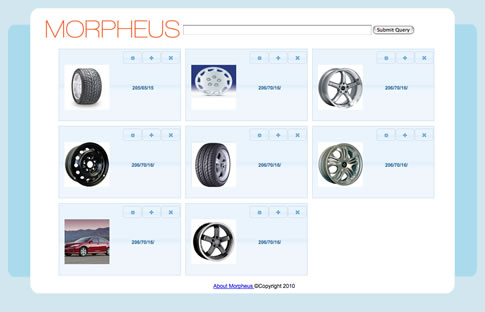 |
| Morpheus ranks previously executed queries and places selectable results to the user. |
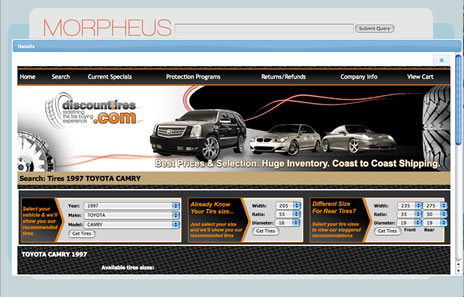 |
| The user can examine pages Morpheus visited during the answer collection process. |
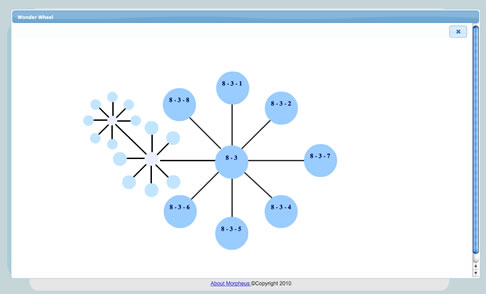 |
| The user can navigate related query results using a heterarchical result representation. |
Morpheus Data Transformation and Management Application Software (Morpheus v2)
We illustrate the use of Morpheus to perform data integration using an example from the University domain. Both M.I.T. and the University of Florida have their own representations for students. Table 1 represents a sample M.I.T. schema while Table 2 shows the corresponding Florida schema.
| Field Name | Data |
|---|---|
| student_name | first_name last_name (String) |
| home_address | street number street name (String) |
| home_city | name of the city (String) |
| state | 2 character code (String) |
| credit_hours | quarter system; 120 to graduate (integer) |
| standing | 1-4 representing {freshman, sophomore, junior, senior} (integer) |
Table 1. Schema for M.I.T. student.
| Field Name | Data |
|---|---|
| student_name | last_name comma first_name (String) |
| home_address | street number street name (String) |
| home_city | name of the city (String) |
| state | 2 character code (String) |
| Residency | in-state {yes} or out-of-state {no} (String) |
| credit_hours | semester system; 144 to graduate (integer) |
| standing | {freshman, sophomore, junior, senior} (String) |
Table 2. Schema for UF student.
Suppose administrators would like to transform student records from the M.I.T. representation into the Florida representation for comparative purposes. The data contained within the fields home_address, home_city, and state can be transferred without modification. The remaining four fields of the Florida representation must be computed. The operations which must be performed on the M.I.T. representation data are:
- student_name: string manipulation (move the last_name to the front; insert a comma)
- residency: conditional expression (if state = “FL” then “yes”, else “no”)
- credit_hours: calculation (multiply by 1.2)
- standing: lookup table (1 = freshman, 2 = sophomore, 3 = junior, 4 = senior)
A screen snapshot of the graphical TCT model that performs this transform called UF2MITstudent is shown in Figure 1.
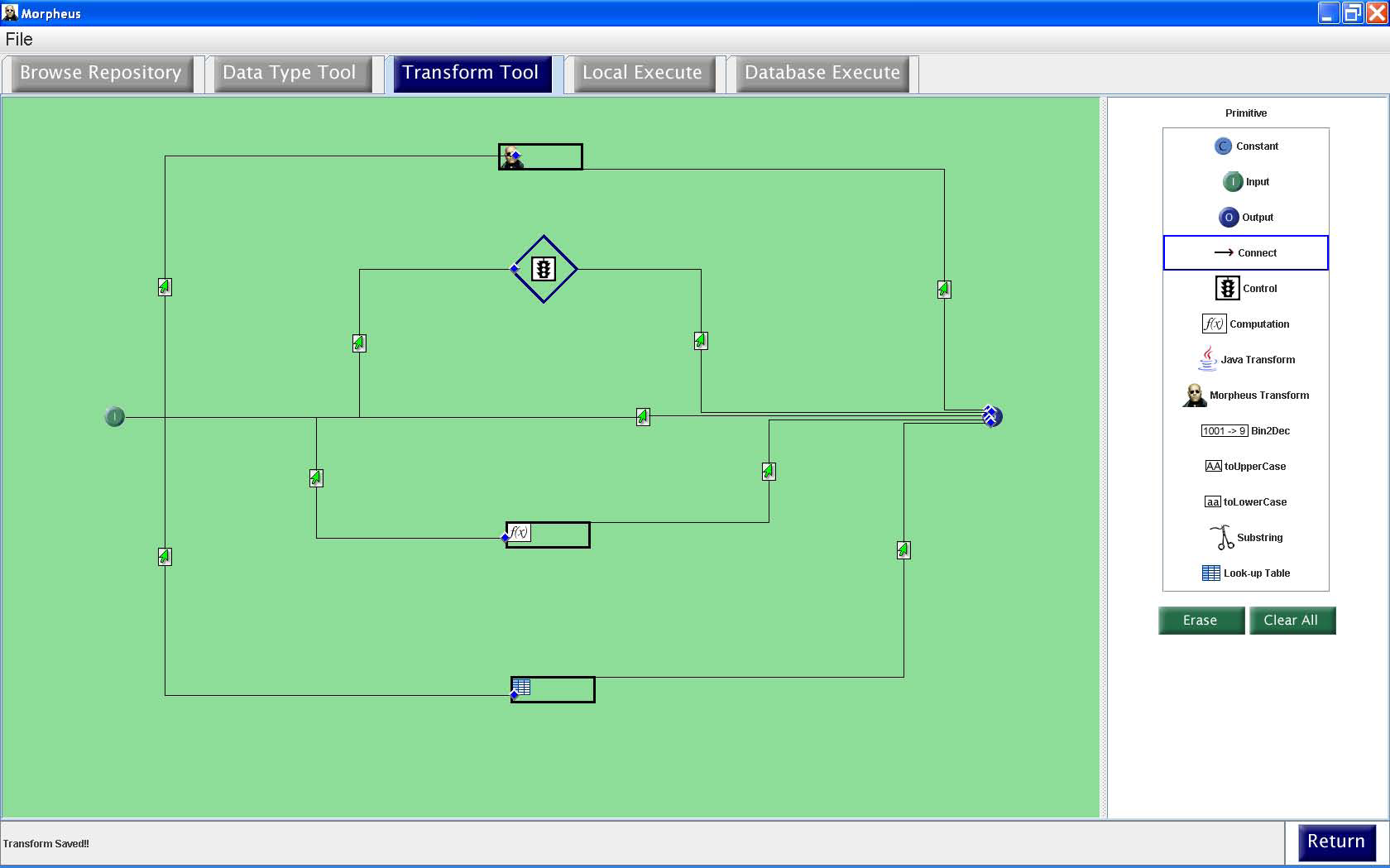
Figure 1. TCT Model transforming student records from the M.I.T. representation to the UF representation.
Once created and registered as a Morpheus transform in the Postgres repository, the transform can be selected and executed in one of two ways. Locally executing a transform (using the “Local Execute” menu button shown in any of the three Figures) allows the user to input the data of the transform and view the result on the screen. This feature is useful for testing the correctness of a newly created transform on selected test cases before executing it on large data sets using the database execute functionality (“Database Execute” menu item) described below. In the future, local execute will also be a useful feature for providing input data to and executing web services from within Morpheus.
A local execution of the UF2MITstudent transform on a single MIT student record is shown in Figure 2.
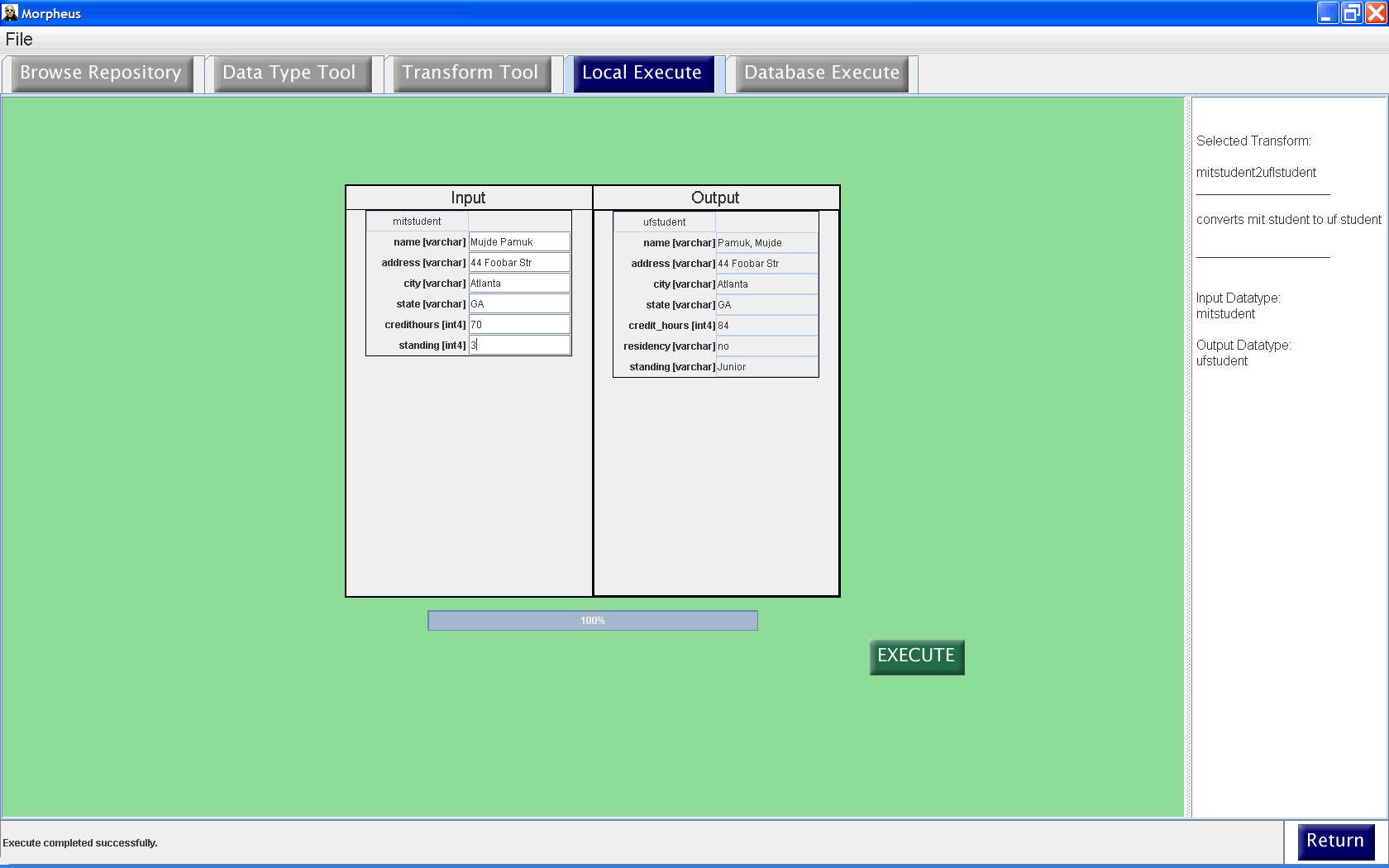
Figure 2. Local execution.
The database execute functionality (using the “Database Execute” menu button shown in any of the three Figures) allows the user to execute the transformation on large sets of input data stored as tuples in a Postgres table. The output is stored in a temporary table in Postgres and can be exported to the application in need of the transformed data. In addition, the output of the transform is also displayed on the database execute screen together with a status bar indicating the progress of the transformation.
A database execution of the UF2MITstudent transform on a set of MIT student records is shown in Figure 3.
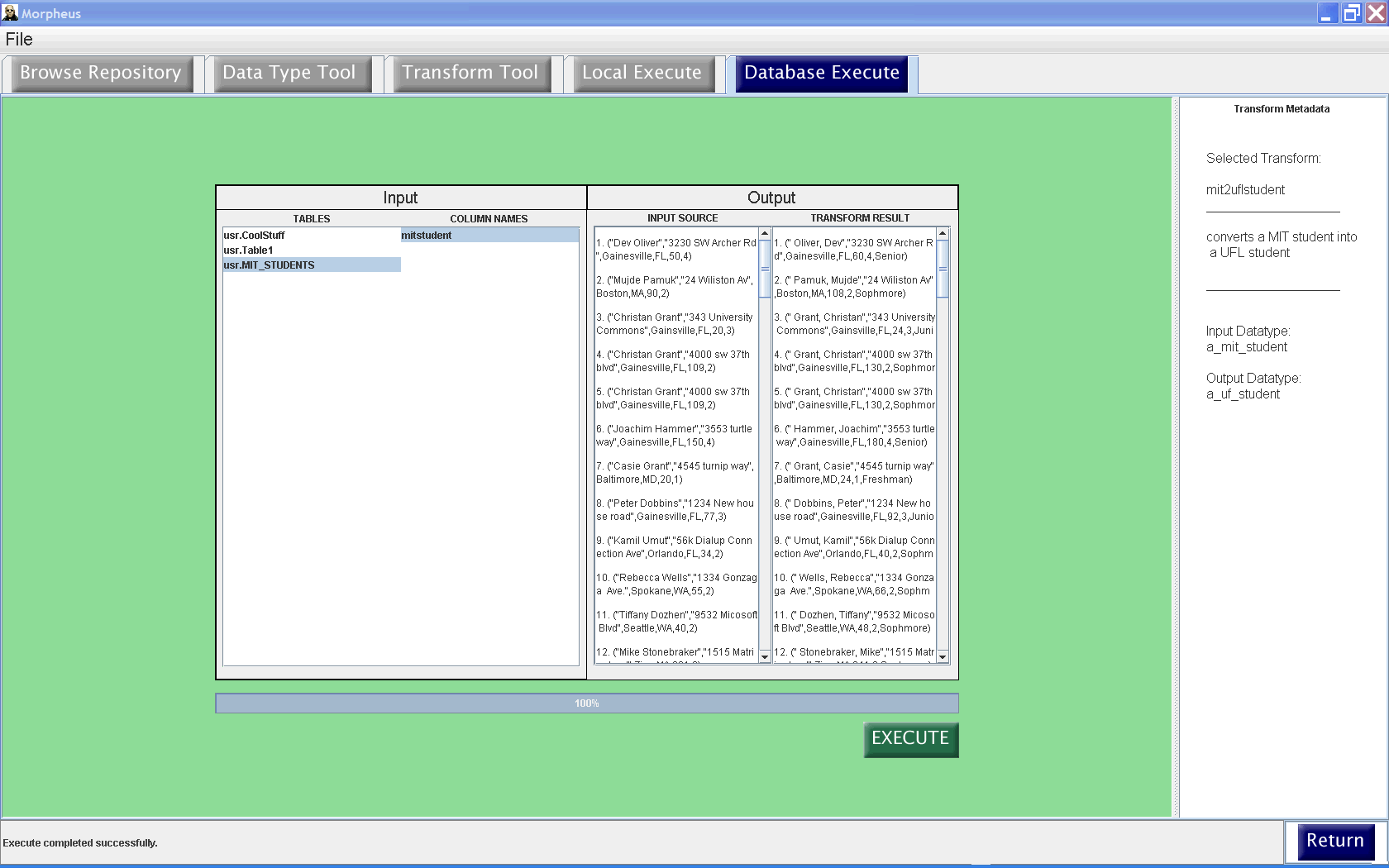
Figure 3. Database execution.