Q: I am trying to figure out what normals to associate with each bezier coefficient.
A: the Normal map and the Geometry map are independent. You never associate coefficients of one
with the other.
So if you evaluate the (degree 3) geometry map at some u,v as xyz(u,v)
you evaluate the (degree 2) normal map also at this u,v as nxnynz(u,v)
That gives you the needed pairs.
Q: How do I manually triangulate the points on the bezier/PN patch?
A: for u=0: 1
. . . for v=0:1-u
. . .
. . .
w = 1-u-v;
. . .
. . .
[point, normal, texture] = deCasteljau(u,v,w, BB-coefficients)
Q: How do I index the microtriangles?
in the tensor-product case with N evaluation points:
(j+1)N+i . . (j+1)N+i+1
j N+i . . jN +i+1
split in 2 triangles
same for total degree -- just stop at the diagonal.
Q: For the first two FAQ answers, what are the variables u, v, w, j, and i defined as?
A: a surface piece (called patch) has independent variables u and v in the unit triangle or unit square.
w is defined to be 1-u-v.
i=0..N and J=0..N if you evaluate on (N choose 2) micro-triangles.
If you have the Bezier coefficients apply
de Casteljeau at (u,v) = (i/N, j/N) to generate all the vertices of the microtriangles and pack them into a vertex array, then create the indexing of the microtriangles: one way is given in the answer how to index.
are the (u,v) pairs the texture coordinates of the model exported from blender,
or are they the values that we are supposed to choose arbitrarily that satisfy
0 ≤ u + v ≤ 1?
A: always start with a simple example, say a square split into two triangles.
Can you affix a simple image like a checkerboard and display correctly?
Then increase the partition and observe the required mapping of u,v to the texture coordinates s,t.
You will see that you need to associate the st with the uv
(and so with the xyz as the color of vertex of the microtriangles for rendering).
Your question: blender texture coordinates are for the large triangles and quads
that you import into your program, not the microtriangles that you have to generate.
Q: loading the quad mesh
A: one way is to create (see 40p) or load a quad mesh into Blender
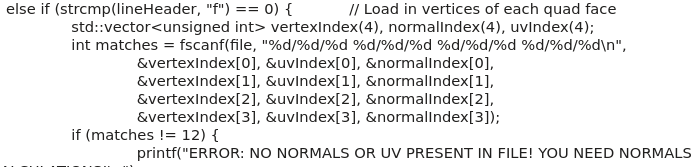
export from blender as quads: vertex xyz(v), vertex normal (vn),
vertex texture coords (vt), connectivity (f)
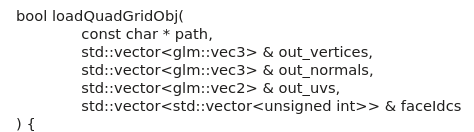
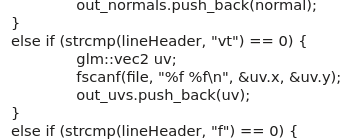
NOTE: you must adjust the object loader function
vecs
header
quadread
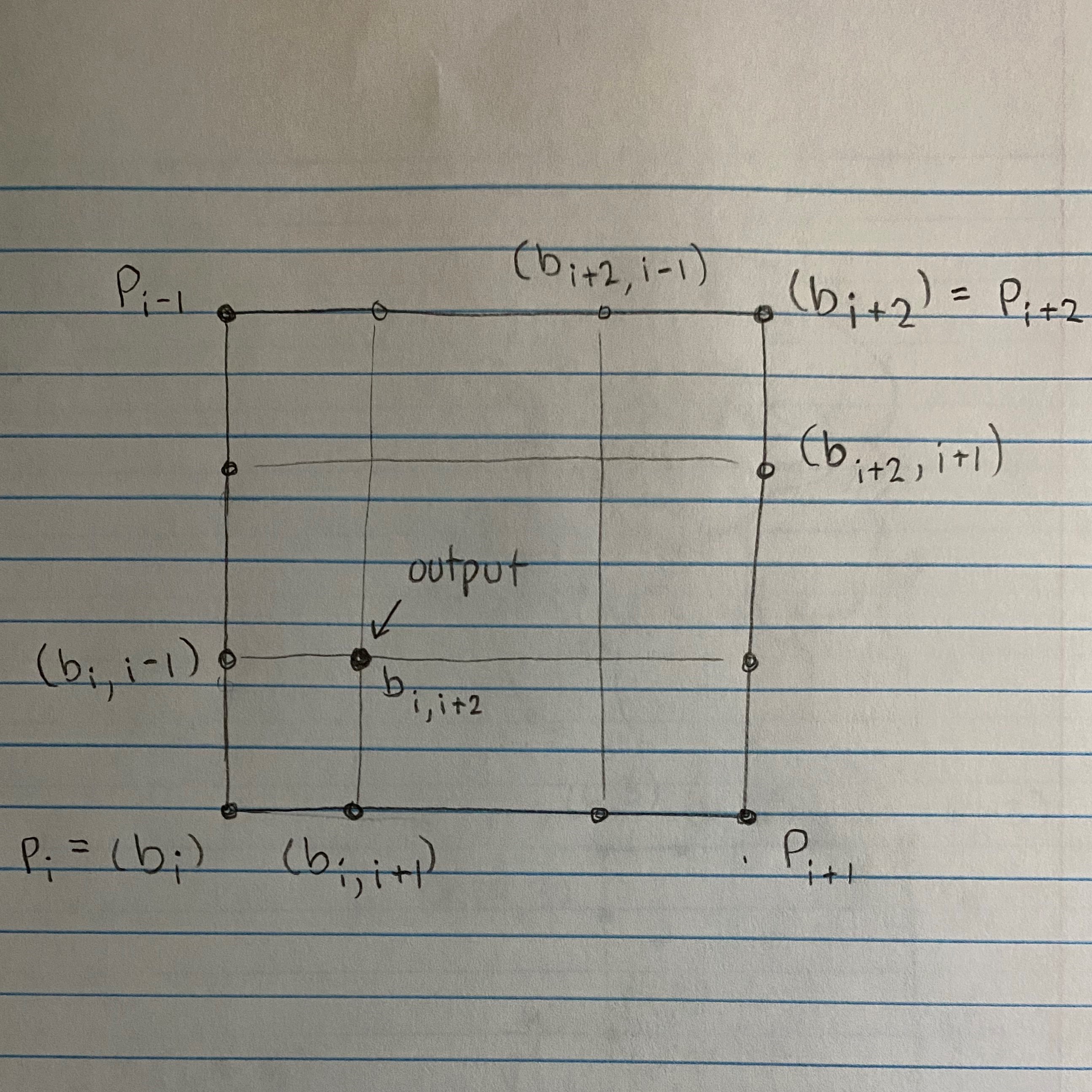
Inner Points of PN Quads Calculations
See layout
Q: I don't understand, if the load object is already quads,
why do I need to form the PN quads
A: The quad mesh are the constrol structure.
The PN quads yield a curved surface
Just as in Project 1,
you construct one surface piece (patch) of degree bi-3 per quad.
This patch is finely evaluated by triangulating the domain
into micro-triangles --- this is just as in Project 1, task 2 or 3,
where you first constructed a Bezier piece and then evaluated it to generate
micro-line segments.
You also create a patch for the normal to fool the eye into
thinking the surface is smooth.
Q:
I am stuck on where to get the uv coordinates from for task 3.
A:
You want the st coordinates. Blender can generate them for you.
Use the uv parameters to compute the new st texture-coordinates
as the barycentric average (i*t0 + j*t1 + k*t2)/N.
Q:
I can't seem to get the normals right.
I'm using the formula in the surfaces lecture.
A: No! For PN quads the normals are defined
separately from the true normals as
"fake" normals (a trompe l'oeil).
Q: My surface does not look smooth
(picture shows triangles with one face normal)
A: The surface must have a unique normal at each vertex not face.
Q: Work in groups of two permitted?
A: yes, see assignment
A:
splitting the texture coordinates into uniform pieces is the easiest.
Whether you do it for triangles or quads should give the same result.
Q: my texture does not appear
1. (rule out a hardware problem) run the texturing example of either tutorial.
2. (rule out a problem with the texture)
display the texture in place of the tutorial texture.
3. try a different texture generated in the cpp-file.
Read the tutorials! You will be amazed by the hints on textures
( for comparison also look for literature on
PN triangles
or the
wikipedia page
)
...get texturing to work...pass UV coordinates to the shaders.
objects that don’t have textures have {-1, -1} for all their uvs and the triangulated face obj has regular uvs
uv is the domain and is mapped to the texture coordinates st to pick out
R(st)G(st)B(st). The texture coordinates map uv to st \in [0..1]^2.
The texture is defined in the .cpp file
but fragments collect their texture (with texture(UV,...) that should really be texture(ST,...)) in the fragment shader to generate a pixel.
Q: would this be loop subdivision?
A: No -- not Loop('s) subdivision!
When you compute the BB-coefficients of the PN quads you get a single polynomial piece
p(u,v). Now you apply DeCasteljau's algorithm to evaluate to create small triangles.